
Inventory management software that works offline
Know what is on the shelf, what is running out and what is not selling, without the internet, a subscription or a spreadsheet.
Stop guessing your stock
Most shops find out an item has run out when a customer asks for it. Counting by hand, or keeping stock in a notebook or a spreadsheet, means the numbers are always a little behind what is really on the shelf. Bajori Pro keeps one record for every item and updates it each time you sell, receive stock from a supplier or make a correction.
It is a Windows desktop program. It installs on your own computer, stores your data in a file there, and works fully offline, so a power cut or a bad connection never stops you from checking or selling stock.
What the inventory module does
Complete item records
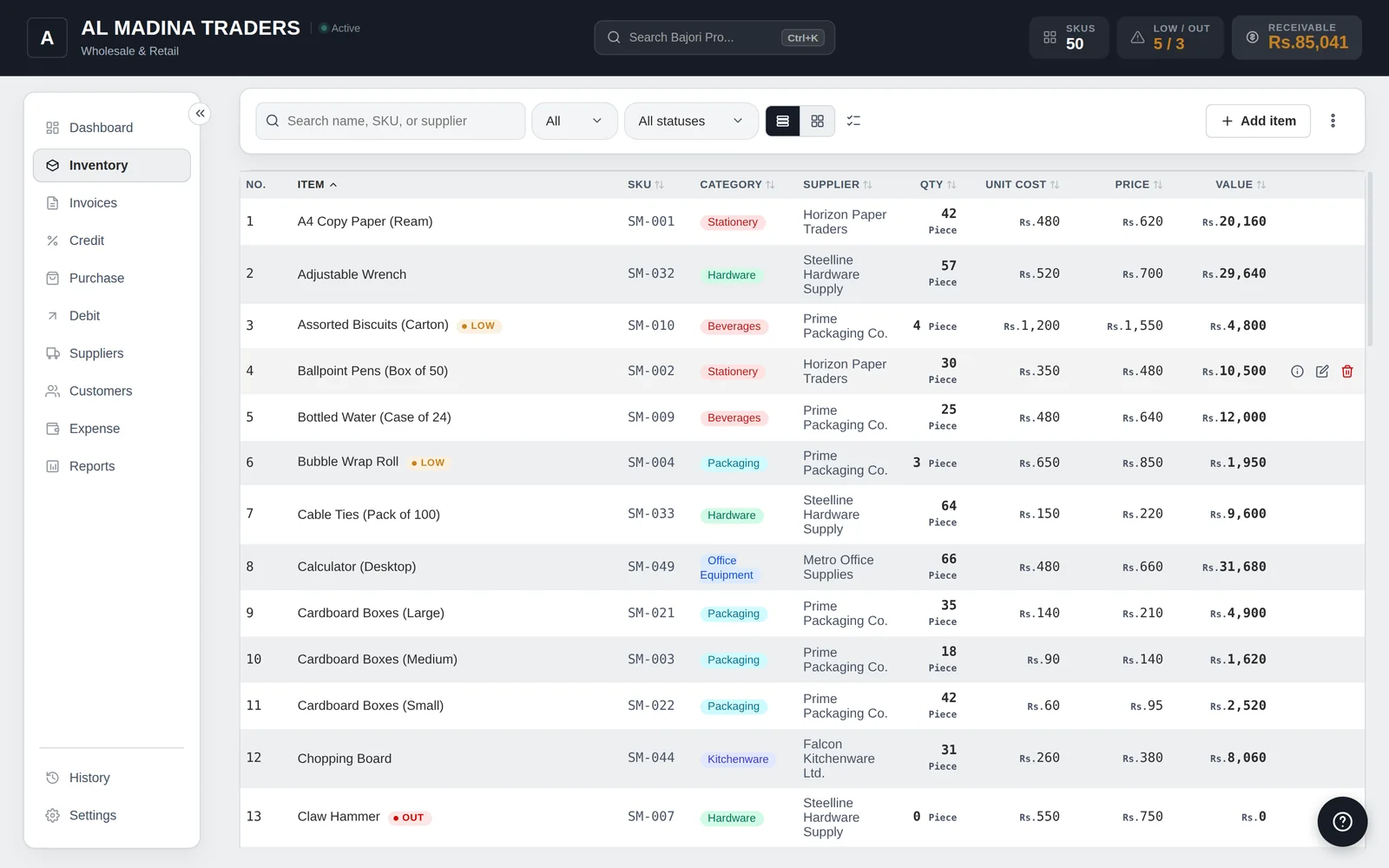
SKU, category, supplier, cost price, selling price and unit for every item, plus custom fields such as rack, brand or warranty period.
Low-stock alerts
See low-stock and out-of-stock items on the dashboard, with suggested reorder quantities so you can order before you run out.
Variants and units
Sell one product in sizes or colours, and buy in cartons or bags while selling in pieces or kilograms. Stock converts for you.
Best sellers and slow movers
Reports show the value of stock on hand, low-stock items, slow-moving items and best sellers, so cash is not tied up in things that do not sell.
Import and export
Bring your item list in from a CSV file, export it any time, and print your item list.
Margin warnings
Get a warning when a selling price is below cost or the margin is too thin, before the mistake costs you money.
Purchases and sales keep stock correct
When you record a purchase from a supplier, stock goes up. When you create an invoice, stock comes down. There is no separate step and no second place to update.
- Purchases update stock automatically
- Invoices deduct what you sold
- Barcode scanning to find items without typing
- Suppliers linked to items and purchases
Common questions
Can I import my existing item list?
Yes. After you activate, you can import items from a CSV file. The free demo lets you explore a sample business and add a few records of your own, and turns import on once you activate.
Can I scan barcodes?
Yes. Barcode scanning is built in. Turn it on in Settings and scan products instead of typing their names.
Does it need an internet connection?
No. Bajori Pro works fully offline and does not need the internet. Your stock data stays in a file on your own computer and is never sent anywhere.
How much does it cost?
It is a one-time payment for one computer, with the first year of updates and support included and no monthly fee. Message us on WhatsApp for the current price, or try the free demo first.
Related
Invoice and billing
Six invoice templates, 80 mm receipts, discounts, tax and partial payments.
Learn more →Barcode billing
Scan products at the counter, print 80 mm receipts, keep stock right.
Learn more →Excel alternative
Stock, invoices and credit already connected, instead of formulas you maintain.
Learn more →Try Bajori Pro on your own computer
Download the free demo, explore a full sample business, and activate when you are ready.