
Software for mobile and electronics shops
Handsets, chargers, covers and accessories: track every item, keep the details that matter and bill in seconds.
A wide range, moving fast
A mobile shop sells a wide range: handsets in several models and colours, hundreds of low-priced accessories, and the occasional high-value item whose details need writing down. Stock moves fast, prices change often, and customers sometimes pay in parts.
Bajori Pro lets you describe each product the way your shop does, then keeps stock, sales and balances in step.
Made for fast-moving stock
Variants
Define attributes such as colour or storage and generate every combination, each tracked as its own item with its own stock.
Custom fields
Add the fields your shop needs, such as brand, warranty period or batch number, saved with each item.
Barcode scanning
Scan products at the counter instead of typing names.
Part payments
When a customer pays in parts, the balance stays linked to the invoice.
Margin warnings
Get a warning when a price is below cost or the margin is too thin, useful when prices change often.
Branded invoices
Your logo and business details on every invoice, or an 80 mm receipt for the counter.
Describe every item your way
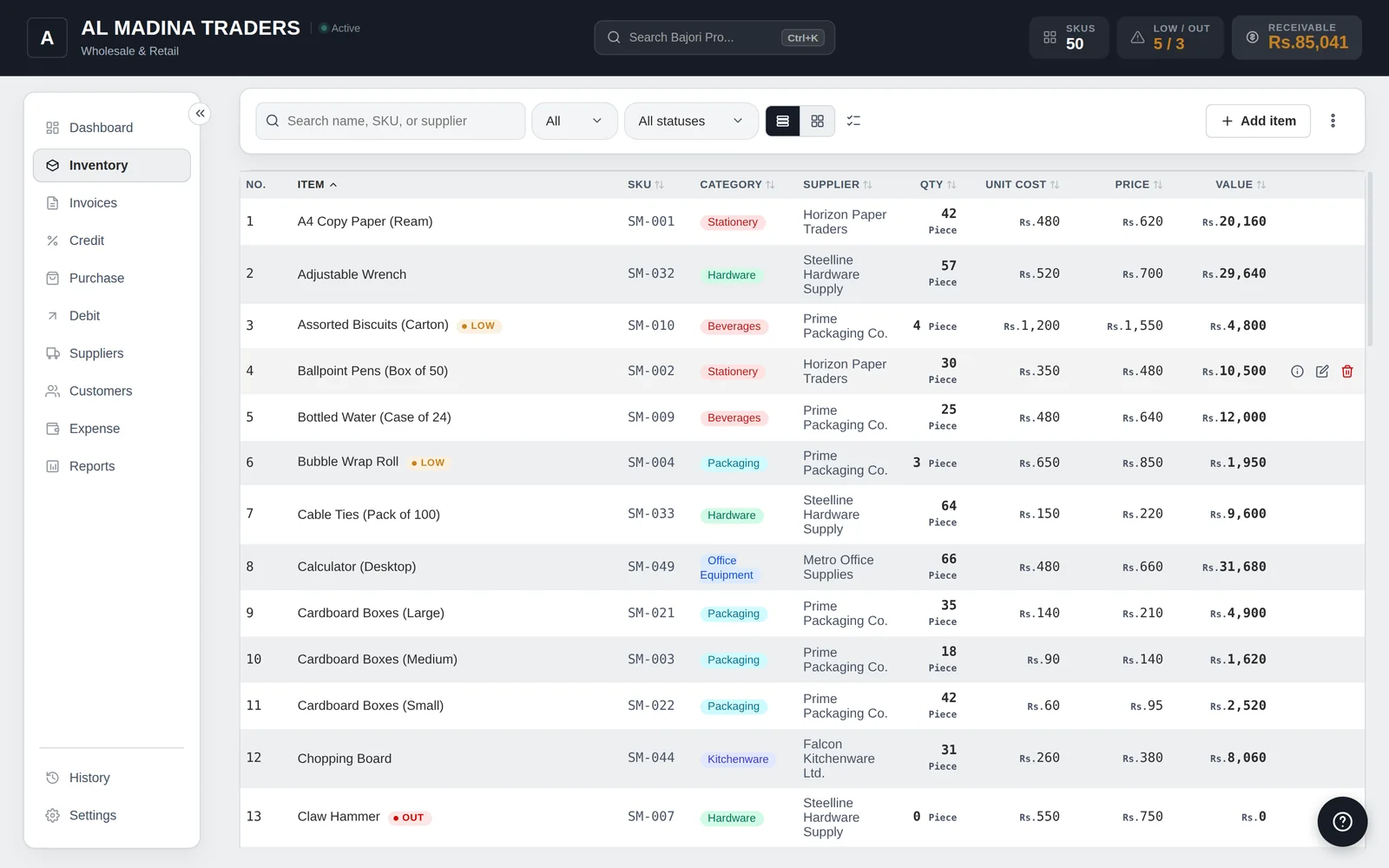
Standard fields for SKU, category, supplier and price, plus your own for anything else you track.
- SKU, category, supplier, cost and selling price
- Your own custom fields
- Variants for colour, storage or size
- Low-stock alerts and reorder suggestions
Common questions
Can I record warranty details?
Yes, using custom fields. You choose the fields, for example brand, warranty period or batch number, and they are saved with the item.
Can I handle many colour and storage versions of one phone?
Yes. Define attributes such as colour and storage and Bajori Pro generates every combination as separate items, each with its own stock.
Can I sell accessories by barcode?
Yes. Turn on barcode scanning in Settings and scan products instead of typing.
Does it need internet?
No. Bajori Pro works fully offline on Windows.
Related
Barcode billing
Scan products at the counter, print 80 mm receipts, keep stock right.
Learn more →Inventory management
Track every item, get low-stock alerts and suggested reorder quantities.
Learn more →Credit and udhaar ledger
A ledger for every customer and supplier, with partial payments and overdue alerts.
Learn more →Try Bajori Pro on your own computer
Download the free demo, explore a full sample business, and activate when you are ready.