
Download the free demo
Install Bajori Pro on your Windows PC and explore a complete sample business. No sign-up and no internet needed to run it.
Bajori Pro 1.0.0
- For
- Windows 10 or 11, 64-bit
- File
- Size
- SHA-256
Installing it
- Run the installer and follow the steps. It installs for all users on the computer.
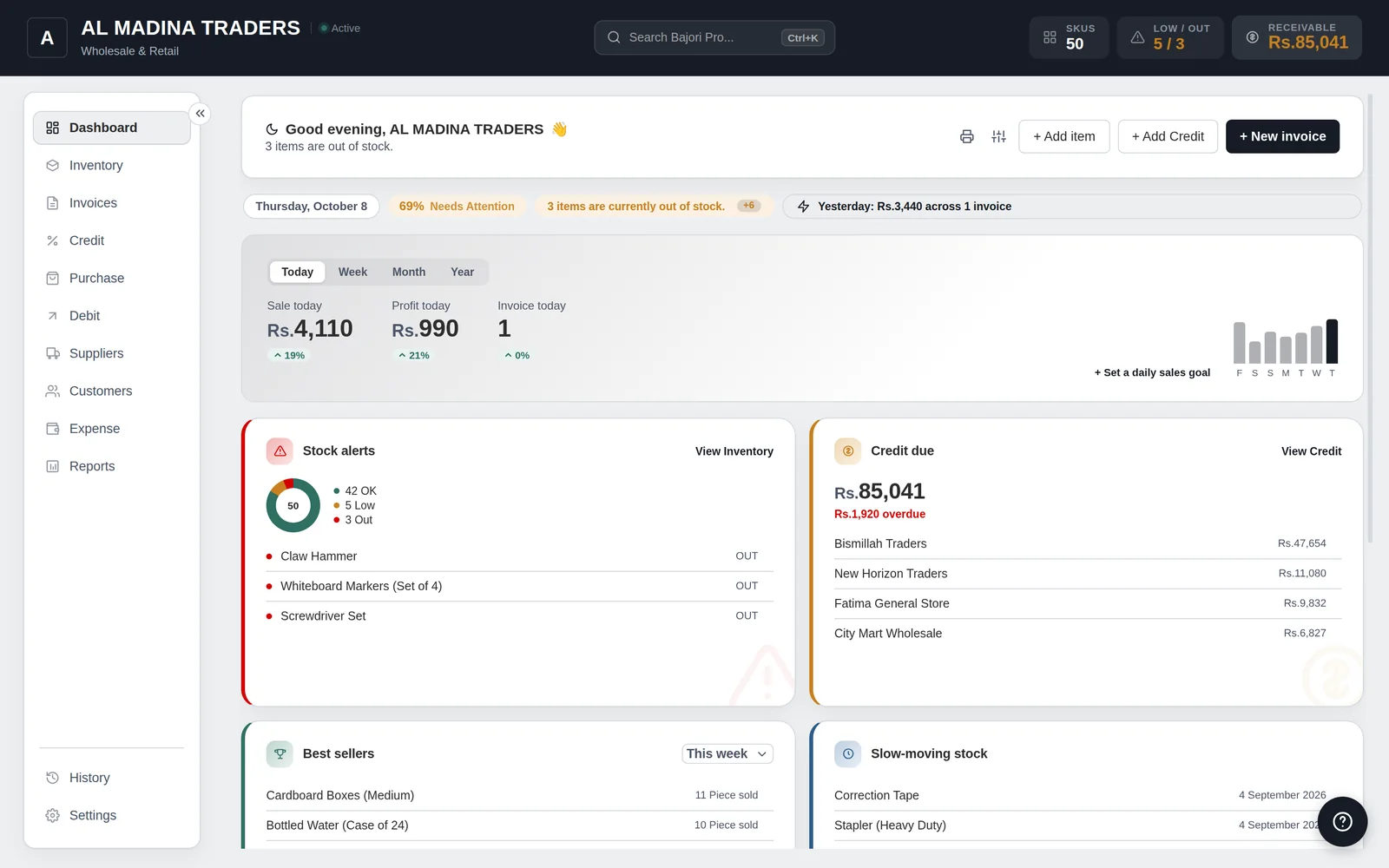
- Open Bajori Pro. It starts in demo mode with a sample business.
- Explore. Create an invoice, record a credit payment, open the reports.
- When you are ready to buy, open Settings → About → Activate and choose Request my license online.
Download and install in five steps
It takes about two minutes. Press a step to jump to it.
Click Download for Windows on this page. The installer is about 107 MB and saves to your Downloads folder.
Double-click the installer. If Windows shows “Windows protected your PC”, click More info, then Run anyway. This is normal for a new app.
Windows then asks “Do you want to allow this app to make changes to your device?” Click Yes. Setup needs this to install Bajori Pro for all users on the PC.
Choose where to install it (the default folder is fine), then click Install and Finish. It takes about a minute and needs no internet and no account.
Open Bajori Pro. It starts in demo mode with a sample business, so you can try everything straight away.
Illustration of the steps. Your Windows screens may look slightly different.
About the demo
- It is a real, working copy of Bajori Pro with sample products, customers, invoices and more.
- You can add a few records of your own. Printed documents carry a DEMO watermark.
- Your demo changes reset when you close the app, and the demo never mixes with your real data once you activate.
- Importing files, restoring backups, automatic backups and App Lock turn on after activation.
Ready to buy?
Request your licence inside the app, or message us on WhatsApp, and we will take it from there.