
Stock, invoices and credit — all in one place.
Bajori Pro helps wholesalers, distributors and retailers track inventory, bill customers, follow up unpaid credit and see real profit. It works offline, and your data stays on your own computer.
- Works without internet
- Your data never leaves your computer
- One-time payment, no monthly fees
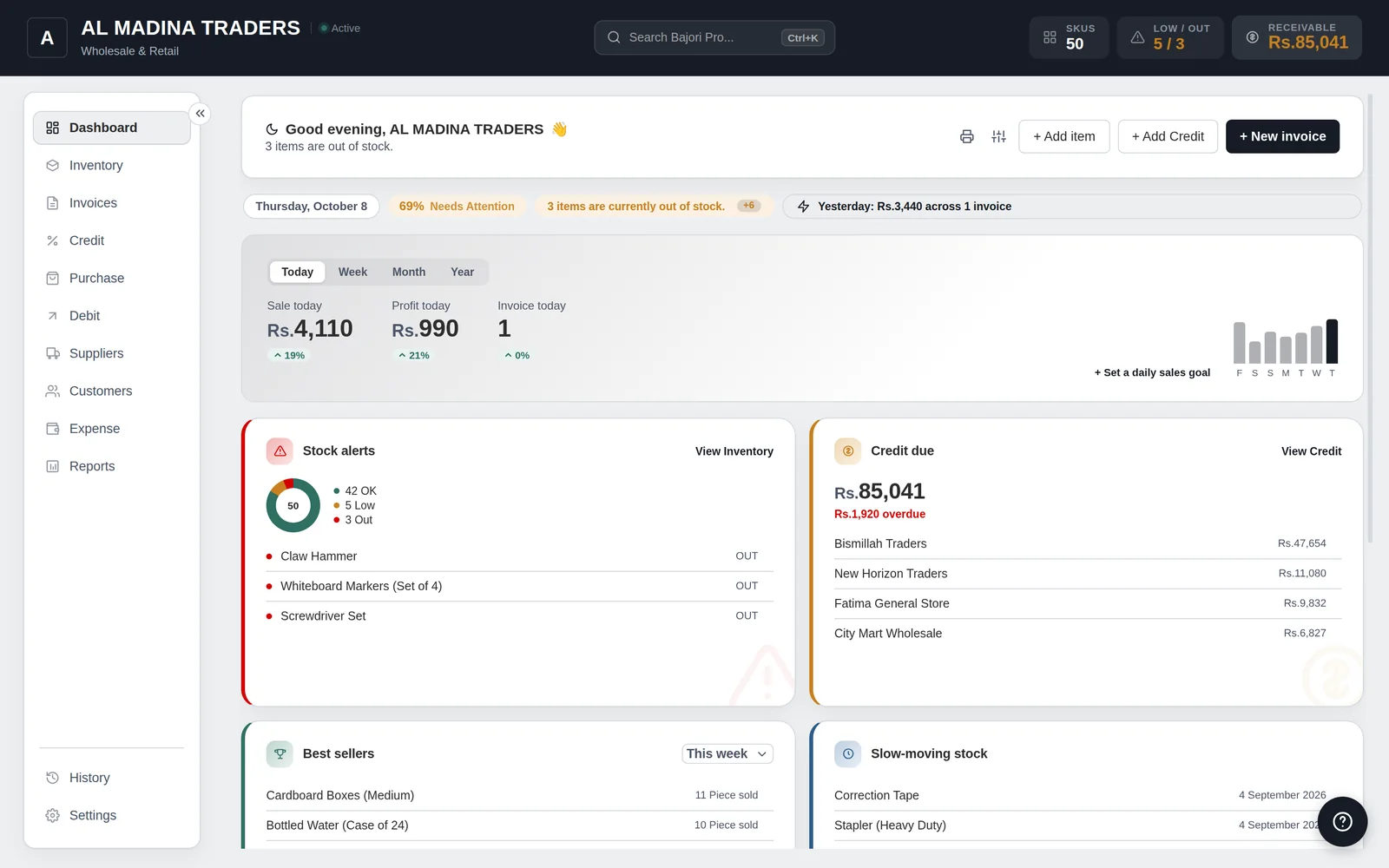
Everything your business runs on
No stitching together spreadsheets, notebooks and separate tools. Each part of the business talks to the others.
Inventory
Track every item with SKU, category, supplier and unit. Get low-stock and out-of-stock alerts and suggested reorder quantities. Scan barcodes, add variants, import and export CSV.
Invoices and receipts
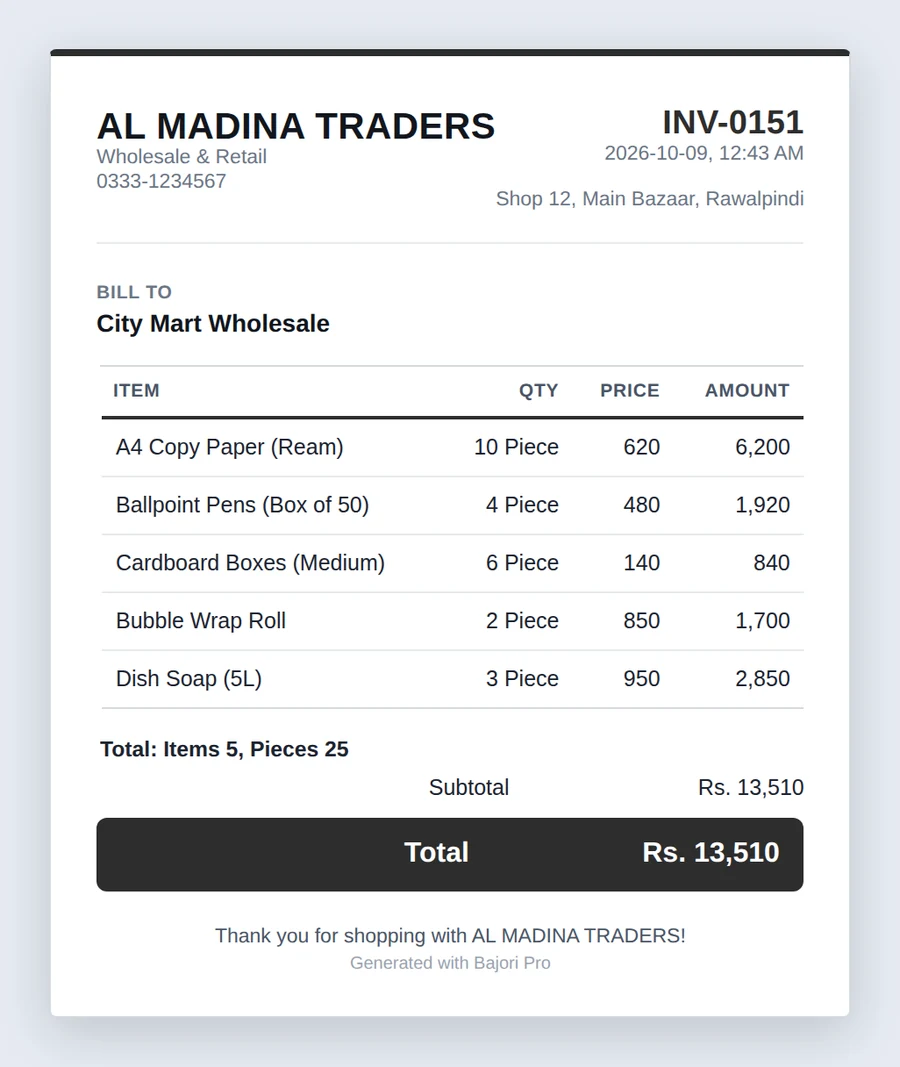
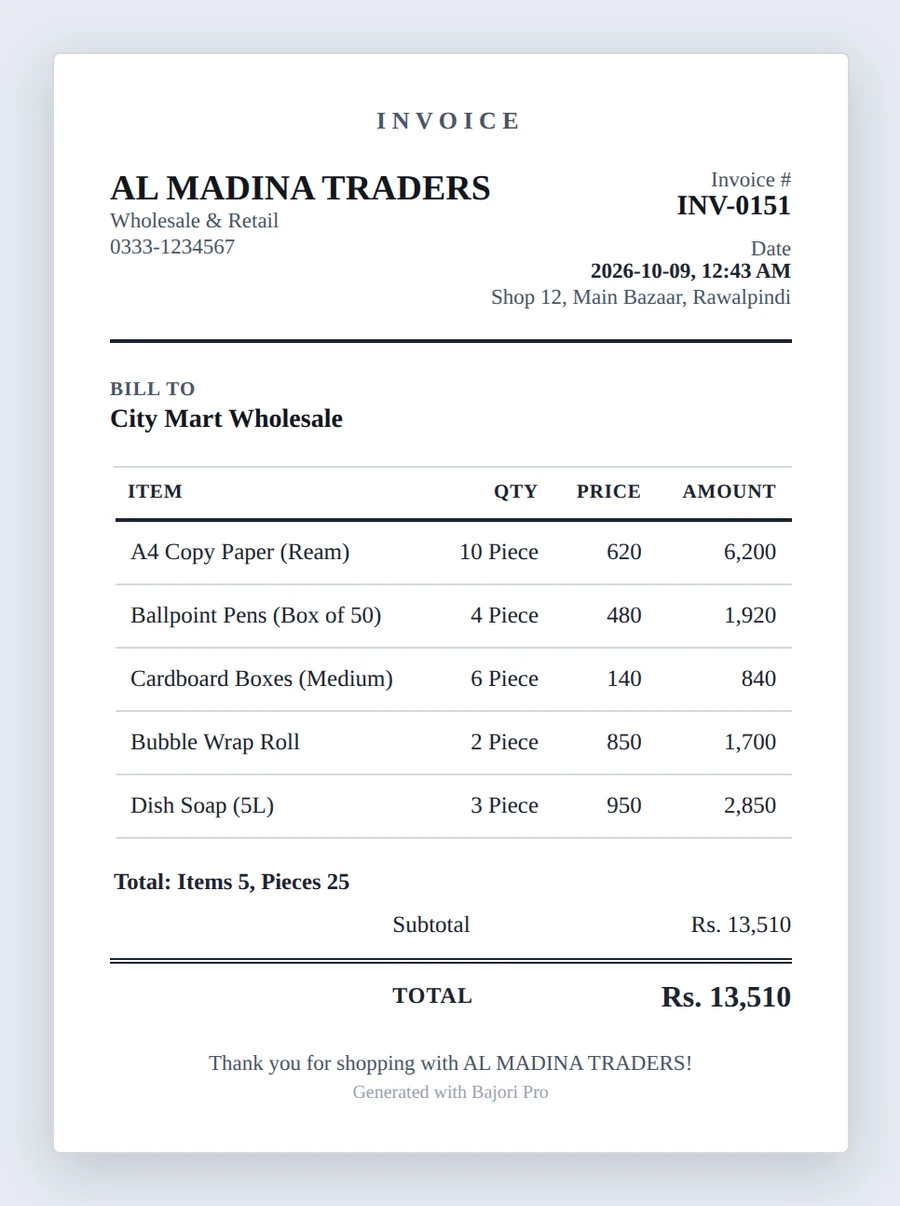
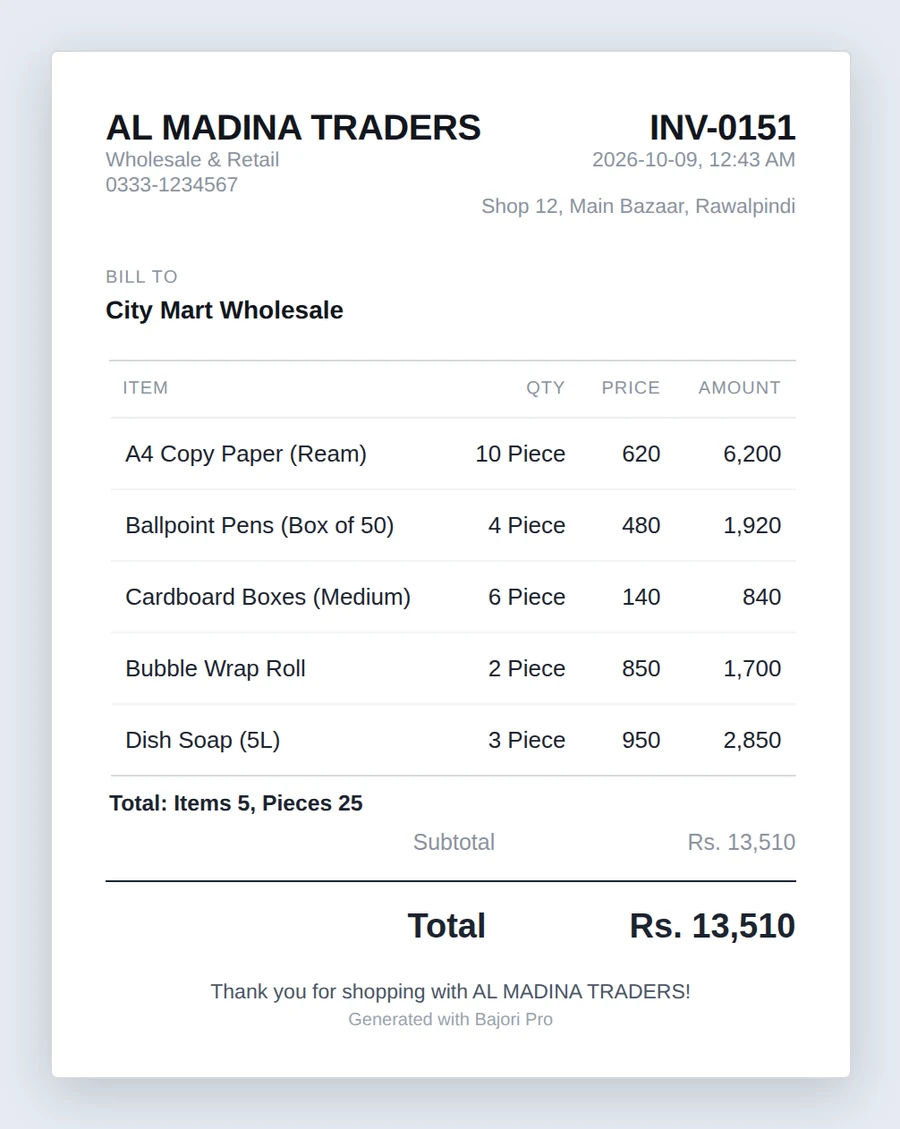
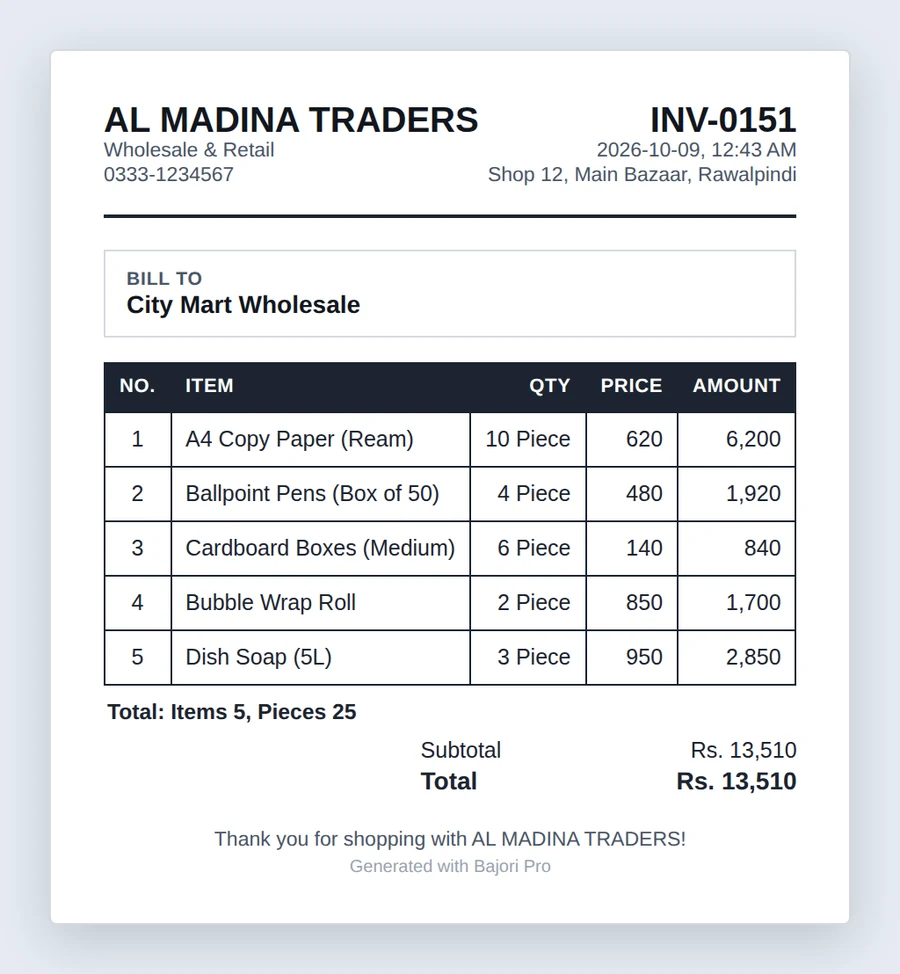
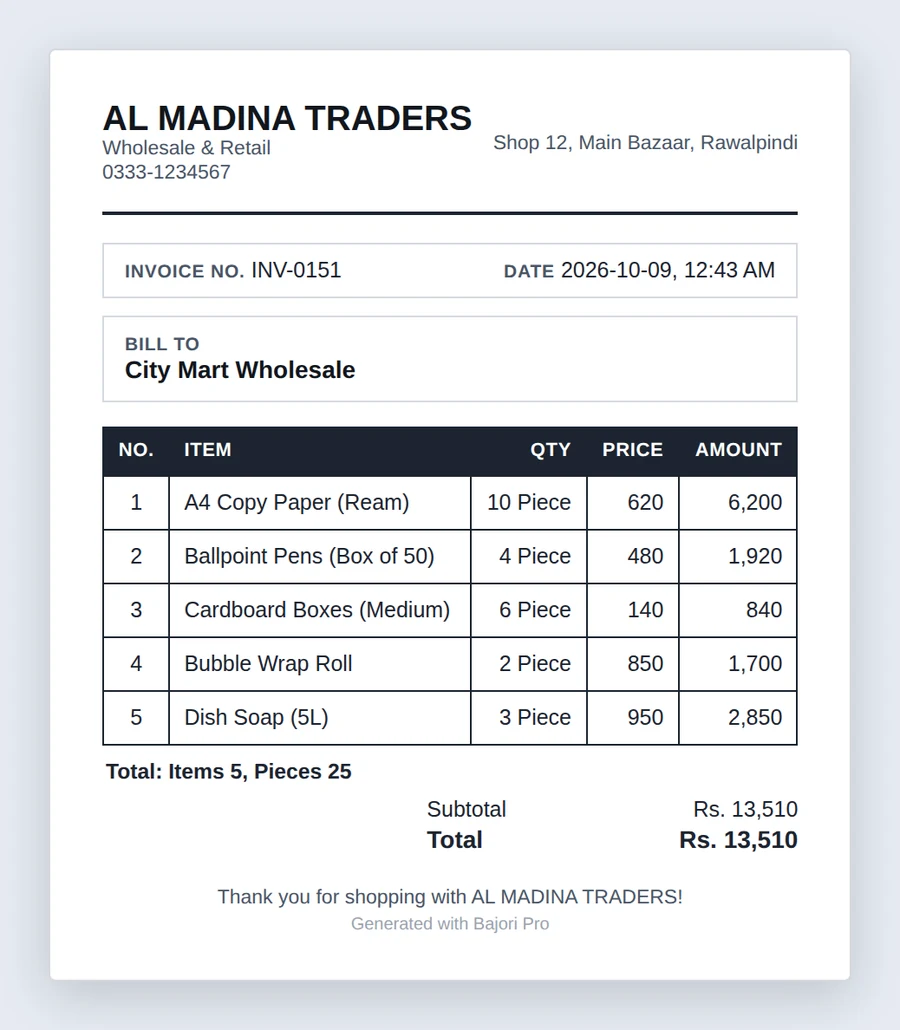
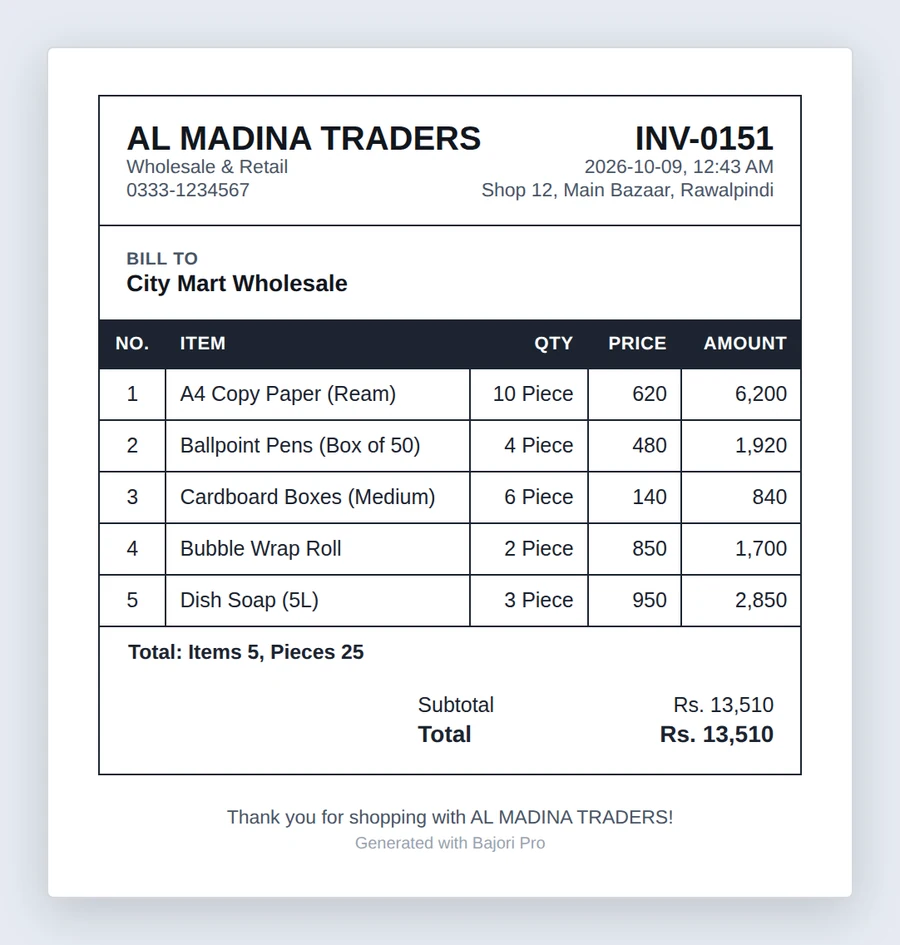
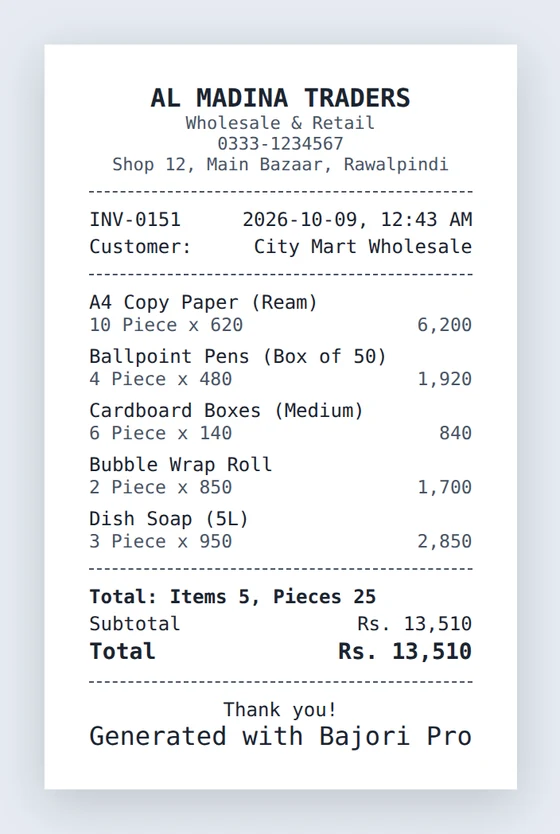
Create an invoice in seconds. Choose from six invoice templates or an 80 mm receipt, add discounts and tax, take partial payments, handle customer returns, then print or save a PDF.
Credit and debit
Know who owes you and whom you owe. Record partial payments, see each customer’s ledger, and spot overdue balances automatically.
Customers and suppliers
Keep a profile for everyone you deal with: contact details, purchase history, outstanding balance and helpful insights such as frequent buyers.
Purchases and expenses
Record stock arriving from suppliers and every business expense, including recurring ones, sorted into your own categories.
Reports
Seven reports cover sales and profit, inventory, customers, suppliers, purchases, expenses and your overall financial position. Print or export any of them.
Invoices that look like your business
Add your logo, name, tagline and address once, and every invoice carries them. Pick the style that suits you.
- Six invoice templates: Nova, Heritage, Essence, Merchant, Bazaar and Folio
- A receipt layout for 58 mm and 80 mm thermal printers
- Discounts, tax, partial payments and your own footer message
- Print, or export a PDF in A4 or your preferred page size
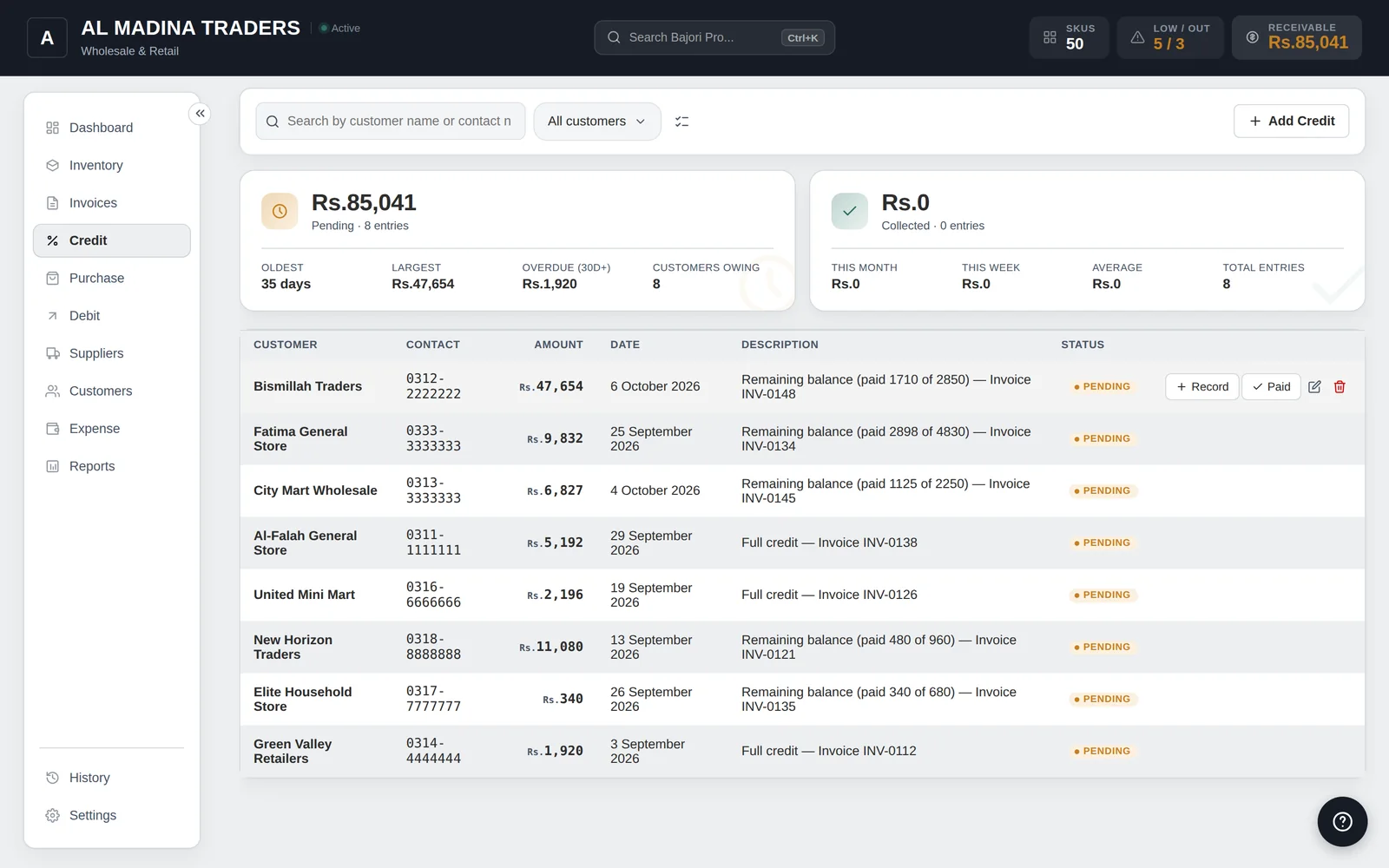
Never lose track of who owes you
Sell on credit without a notebook. Every unpaid balance is linked to its invoice, and every payment is recorded against it.
- Partial payments and full credit sales, linked to the original invoice
- A ledger for each customer, with every charge and payment
- Credit becomes overdue after the number of days you choose
- The same for suppliers: see exactly what you owe and to whom
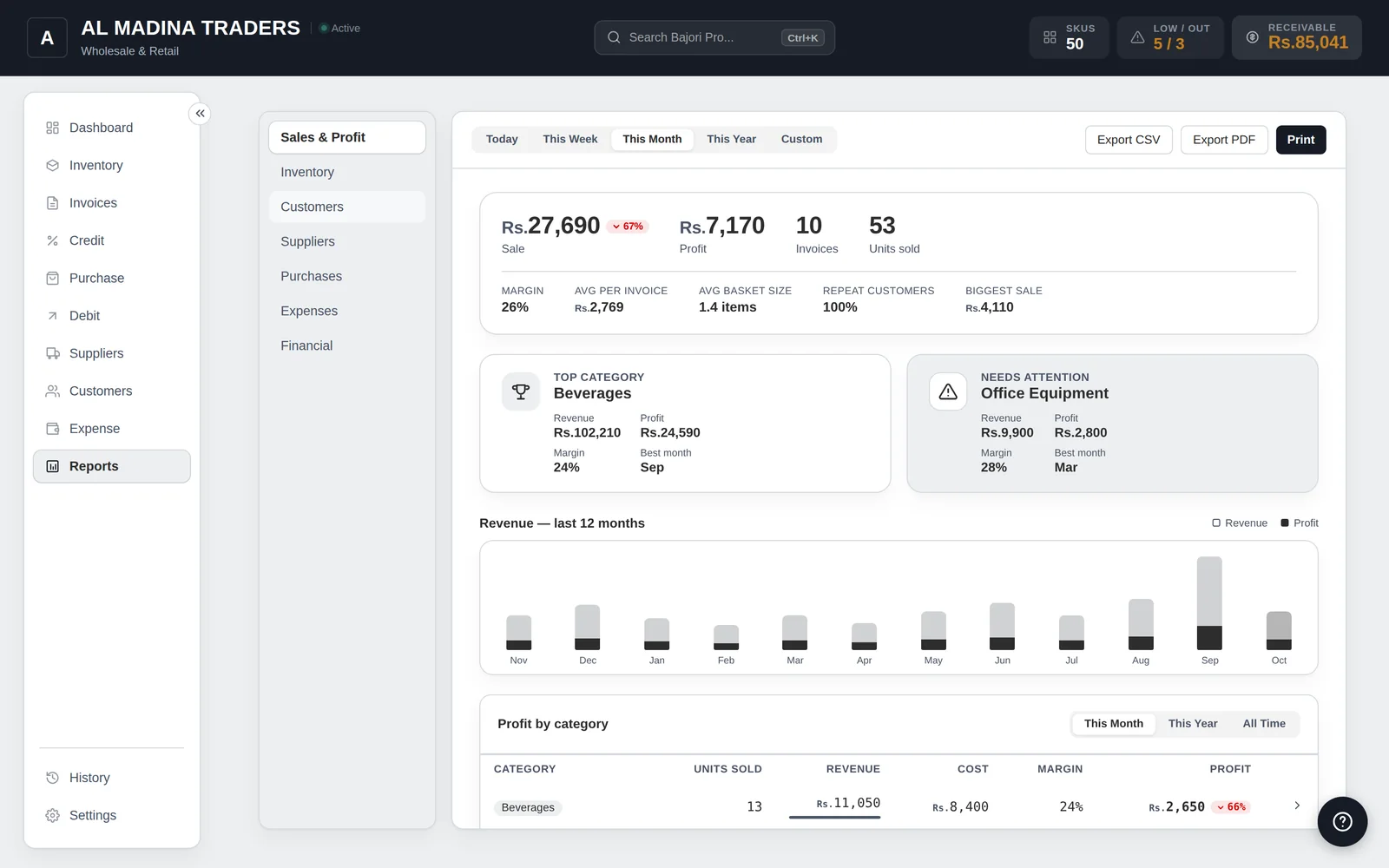
Know where the business stands
Open the app and see today at a glance: sales, profit, stock alerts, best sellers and what is not moving.
- Today, week, month and year: sales, profit and invoices at a glance
- A 12-month sales and profit chart, and profit by category
- Stock alerts, best sellers, slow-moving stock and a business health score
- Set daily, weekly, monthly or yearly sales goals
Built for businesses of every kind
Wholesale first, retail too. If you buy, sell and sometimes sell on credit, Bajori Pro fits. See how it works for your kind of business.
Retail shops and general stores
Barcode scanning, quick billing, low-stock alerts and customer ledgers.
Learn more →Wholesalers and distributors
Bulk units, supplier purchases and large credit balances in one place.
Learn more →Mobile and electronics shops
Variants, custom fields, barcode scanning and part-payment credit.
Learn more →Clothing shops and boutiques
Size and colour variants, branded invoices and slow-moving stock reports.
Learn more →Hardware and building material
Convertible units, contractor credit, supplier purchases and expense tracking.
Learn more →All solutions
Inventory, invoicing, credit, barcode billing and more, in one place.
See all →Easy on the eyes, day or night
Switch between light and dark mode, pick an accent colour and choose a classic or modern layout. Click any screen to see it full size.
Built so your records stay safe and private
Bajori Pro stores everything in a file on your computer. There is no account to create and nothing is uploaded.
Fully offline
No internet is needed to run it, and your business records are never sent anywhere.
Automatic backups
Daily backups, plus a folder of your choice such as a USB drive or a cloud-synced folder.
History and undo
Deleted something by mistake? Undo it straight away, or restore it from History.
App Lock
Protect the app with a PIN, on startup or after a period of inactivity.
From download to first invoice
Try it first, and buy only when you are sure.
Download the free demo
Install it and explore a complete sample business. No sign-up, no internet needed.
Request your licence
In the app, choose Activate and send your request. Your computer ID is added for you. We share the payment details on WhatsApp.
Pay, and it activates itself
Once payment is confirmed we approve your request and Bajori Pro unlocks by itself. No file to import.
One-time payment, for one computer.
- A licence for one computer, with no end date
- 1 year of updates and support included
- Your own licence, issued by us
- Try the full demo before you buy
One payment. No subscription.
You pay once for a licence with no end date. The first year of updates and support is included. After that you can keep using the version you have, or renew for further updates.
Common questions
How do you spell Bajori?
The name is spelled Bajori. People also type it as Bajouri, Bajauri or Bajor. All of them lead to the same place: Bajori Pro, offline inventory, invoice and credit software for Windows, from Bajori, at bajori.pro.
Does Bajori Pro need the internet?
No. It works fully offline. You need the internet only to download it, and it makes a few small optional checks when it is online (for example an update notice and a licence check). Your business data is saved in a file on your own computer, and we never receive it.
Can I try it before I buy?
Yes. Install the free demo and you get a complete sample business to explore. You can add a few records of your own to see how it feels. Printed documents carry a DEMO watermark, and importing files, restoring backups, automatic backups and App Lock are switched on only after you activate.
Can I use one licence on two computers?
One licence is for one computer. To change your computer, request a new licence from inside the app and tick the box 'I already bought Bajori Pro'. It is free, and the old licence ends when the new one is approved.
What do I get when I buy?
A licence for the version you buy, with no end date, plus one year of updates and support. After that year you keep using the version you have. Further updates and support are an optional annual renewal.
Which version of Windows do I need?
Windows 10 or 11, 64-bit. Bajori Pro is a Windows desktop app. There is no Mac, phone or web version at the moment.
Is there a refund?
Because the demo lets you try the full app first, all sales are final, except where the law requires otherwise. If the software does not work as described, contact support and we will work to fix it.
Try Bajori Pro on your own computer
Download the free demo, explore a full sample business, and activate when you are ready.